
Notice
Raw words
Crisis-to-Action Translator
FamilyClock helps teen family interpreters turn stressful notices into evidence-backed action, without asking them to make adult decisions.
For the teen in a limited-English household who gets handed the school, hospital, housing, or benefit notice tonight.
Tonight mode
Judge quick path
Each demo uses a fictional notice and opens a populated action dashboard.
Raw words

Source lines

Green to red
Teen, adult, pro
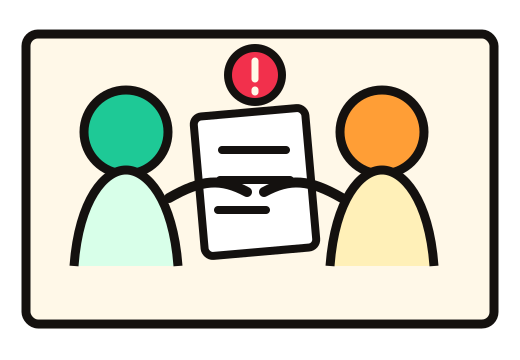
One stressful moment, three needs
FamilyClock is designed for the gap between receiving a confusing notice and reaching the adult or professional who should take responsibility.
 For the teen
Organize the facts without becoming the person responsible for the final decision.
For the family
See which original sentence supports the deadline, urgency, or serious interpretation.
For the next helper
Bring the summary, questions, requested documents, and interpreter script together.
The demo moment
FamilyClock gives the teen a safer role: organize the facts, reveal the deadline, preserve source evidence, and hand serious decisions to an adult or professional.
What comes out
The result is organized for action and handoff, so a stressed user does not have to search through a long AI response.
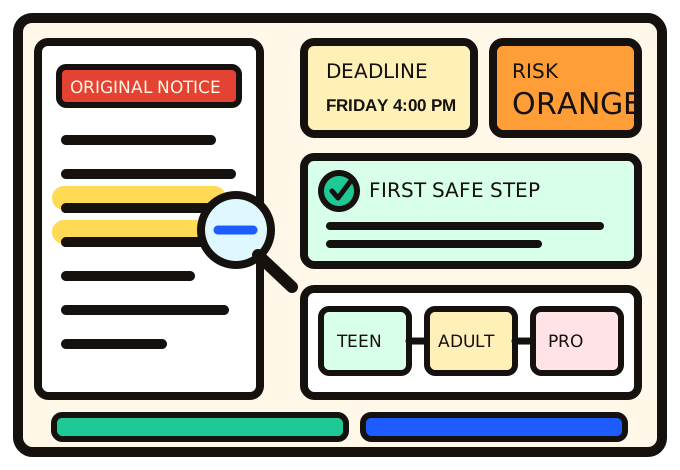 Source matched
Safe step ready
Source matched
Safe step ready
Decision impact
A teen guesses what a confusing notice means and may carry an adult-level decision alone — unsure of the deadline, the risk, or when to involve an adult.
The teen sees the plain meaning, the deadline with its source line, one safe first step, what they can safely do, and exactly when an adult or professional must take over.
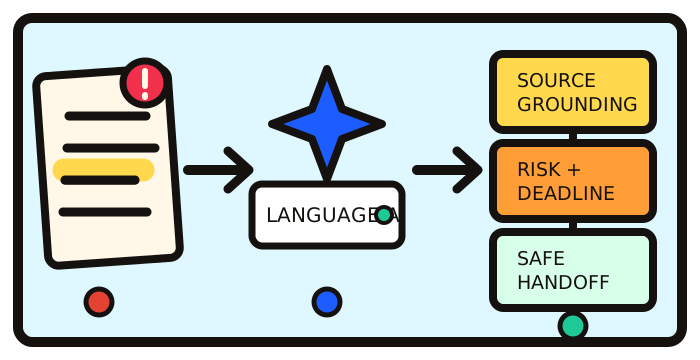
Why AI is needed — not just search
Search finds pages. FAQs answer known questions. FamilyClock handles messy, unstructured notices: it extracts hidden deadlines, classifies risk, grounds serious claims in source sentences, and separates teen-safe tasks from adult and professional decisions.
Infer: understand messy notices, OCR text, and teen-written situations.
Ground: copy supporting source sentences instead of inventing evidence.
Classify: identify deadlines, consequences, and high-stakes categories.
Separate: assign teen-safe, adult-only, and professional actions.
Responsibility-aware risk
The color is not a final legal, medical, or benefits decision. It controls how strongly FamilyClock routes the issue toward adult or professional help.
Safety promise

Built for real family paperwork
The category helps FamilyClock apply stronger handoff rules when the subject may affect care, housing, legal responsibilities, or essential support.
Built for the handoff
Add the notice file, review the transcription, build the dashboard, and export a packet for the adult or professional taking over.
Launch FamilyClockWhat happened and why it matters.
Date, time, and original source line.
Notice, requested documents, questions.
Exact next action, interpreter, confirmation.
FamilyClock dashboard
Run an analysis to generate your dashboard.
Session file tray
Files are not saved to a permanent account. If you use OCR, the selected file is temporarily sent for text extraction, so use fictional or redacted notices only. Remove full names, addresses, ID numbers, and private medical details first.
Files are not saved to a permanent account. If you use OCR, the selected file is temporarily sent for text extraction, so use fictional or redacted notices only. Remove full names, addresses, ID numbers, and private medical details first.
No files yet. Add a fictional or redacted notice file.
Add an image or PDF, or use the fictional demo notice.